 BiCupid
 product
BiCupid App for Bisexual Singles and Couples
Bring bisexual dating into your everyday routine with mobile discovery and conversation. Choose the app for your phone, understand the free starting point, and keep your own relationship goals in view.
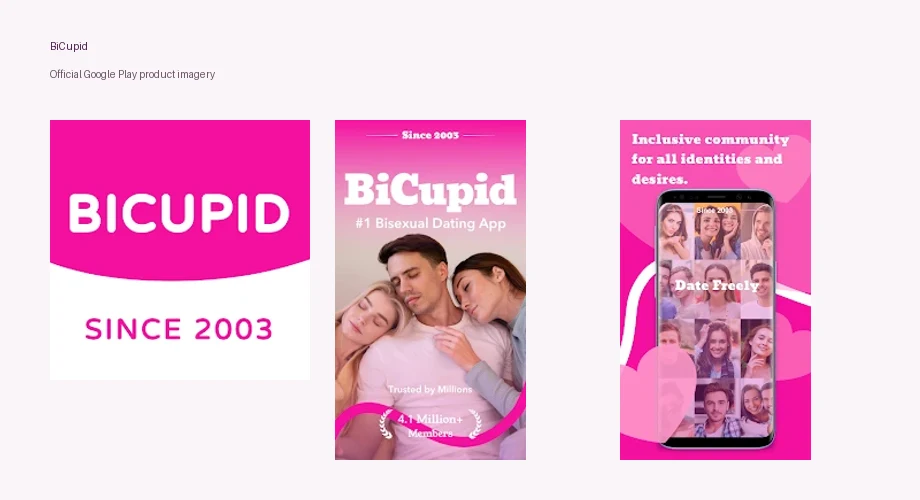
Keep bisexual dating close to the life you already have. The BiCupid app offers a mobile route for singles, bi-curious adults, and couples who want to discover people and maintain conversations without making every introduction a desk-bound activity. Its value is a relevant dating context you can return to when you have time to give someone your attention.
Choose your device: get the iOS app or get the Android app. Both listings describe free download with purchases available. Downloading is a starting action, not a purchase of unrestricted messaging.
Why Choose a Bisexual Dating App?
A bisexual-focused app gives your identity a place in the introduction, which can be valuable if broader dating environments leave you repeatedly correcting assumptions. BiCupid's audience includes singles and couples with varied goals. That focus is a reason to consider the app, while compatibility still depends on the person and the relationship each of you wants.
You may want one committed partner, a relaxed date, or room to understand attraction at your own pace. Bisexuality does not require interest in nonmonogamy or a threesome. Write the goal that belongs to you rather than adapting your profile to whatever you think the community expects.
Within bisexual dating, your identity and relationship goals each have a place in the introduction. The mobile choice is about where you want to make introductions: a phone can put conversations within easy reach, while your words determine whether someone understands what you are offering.
The BiCupid App Supports Continuity Between Introductions
Mobile access is useful when your dating time arrives in small pockets rather than one long evening. You might read a profile at lunch, think about an answer later, and respond when you are free to write something considered. That continuity can make a conversation easier to maintain without demanding constant availability.
For example, someone who works irregular hours could explain, “I enjoy talking, but my replies may come in the evening after a shift.” The app makes access convenient; the explanation makes the pace understandable. A quick reply is not inherently more interested than a slower one, and someone else's availability may differ from yours.
If you participate as a couple, agree how mobile access fits shared communication. One partner noticing a message does not mean both have read it. Tell the other person when a response represents one voice or a conversation you had together. Convenience helps most when it preserves clarity about who is participating.
Discovery and Conversation Serve Different Purposes
The product's official presentation includes discovery, chat, and verified members. Those capabilities support noticing people and developing an introduction, but you still need to read the context behind a profile. A photograph may create interest without answering whether a date would match your preferences.
Start with a question tied to something the person wrote. If their profile mentions cooking, ask about the kind of meal they enjoy making rather than immediately requesting private contact details. If it describes a relationship goal, make sure yours fits before assuming that attraction is enough.
Tools such as Flame and First Date Ideas serve different purposes among BiCupid’s features. Using the app well means letting each interaction add information. A visual impression leads to reading; reading gives a reason for a conversation; conversation reveals whether a meeting would be welcome. None of those stages entitles anyone to the next.
Pick the Store Route That Matches Your Phone
BiCupid is available through Apple and Google Play. The Apple listing identifies Truly Limited as the seller. The Google Play listing identifies SUCCESSFULMATCH.COM INC. in its developer information. Those store labels differ, so use the verified listing for your platform rather than guessing from a publisher name alone.
If you choose the BiCupid app for iPhone, consider Apple purchase management and how you will present your profile on mobile. With the BiCupid Android app, check Google Play's data declarations and compatibility with your device model.
Use the listing on your own device to confirm current compatibility. Store availability can vary by region, and a device that can open a web page may not meet an app's installation requirements. If installation is unavailable, website access can be another way to evaluate the service without downloading software from an unfamiliar source.
Free Download and Paid Outreach Are Separate Choices
The app is free to download, but that does not mean every communication action is free. The BiCupid FAQ states that Standard members cannot initiate conversations. They can reply to Premium members, with at least one participant's active Premium membership required for messaging.
If your first aim is to prepare a profile and understand the audience, you can begin without treating an upgrade as compulsory. If your main aim is to introduce yourself to particular people, investigate Premium access before relying on that ability. A visible chat feature and an account entitlement are different things.
Compare BiCupid membership costs with the messaging access you need. Apple, Android, and web offers should be evaluated at their own checkout. A quoted iOS amount does not establish another platform's charge, and a longer option should fit the amount of dating time you actually expect to use.
Choose App or Web Around Your Attention
An app suits people who want regular access from their phone. A browser can suit people who prefer a larger writing area or a deliberate session away from notifications. The useful distinction is how you concentrate, not an assumption that one route produces better matches.
You could draft your introduction slowly before returning to it on mobile. You could also keep dating within a particular daily window so it does not compete with work or time with friends. If moving between devices, confirm you are using the intended account before making a purchase or changing important settings; do not assume every billing route transfers automatically.
A phone also changes who might see your activity. Review notification previews and screen visibility if privacy matters in shared spaces. These are general device considerations, not evidence that BiCupid supplies an invisible or anonymous mode. A store privacy label describes data practices; it does not decide who can glance at your screen.
Make the First Mobile Session Worthwhile
Give the first session a small dating objective: show enough of yourself for someone to recognize a possible connection. Choose an accurate picture, add a relationship goal, and name an interest that could lead to a real conversation. Avoid uploading a collection of images simply because you have them available on your phone.
Then browse with your goal in mind. If you want one-to-one dating, read whether the profile represents a single or a couple. If you are curious and want a patient pace, look for language you can respond to honestly rather than claiming certainty you do not have. Your profile can be inviting without promising more than you are ready to offer.
Finally, decide when you will return. A dating app should give you access to connection while leaving room for the rest of your life. Starting with an understandable profile and a realistic reply rhythm is a stronger foundation than measuring the first session by how many people you see.