 BiCupid
 product
BiCupid iOS App for Bisexual Dating on iPhone
Date from your iPhone with a bisexual community close at hand. Prepare a profile that represents you, understand Apple purchase terms, and make mobile conversations fit the time and attention you have.
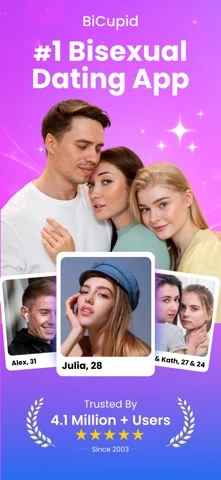
An iPhone can turn an interesting introduction into a conversation that continues between evenings out, quiet weekends, and the rest of your day. The BiCupid iOS app brings a bisexual dating audience to that routine, with singles, curious adults, and couples among the people it welcomes. The appeal is convenient access to a relevant community, with your own relationship goal still leading the way.
When that sounds right for you, get BiCupid for iPhone. The download is free, with purchases available. Check whether your iPhone meets the current requirements and read the purchase terms on your device.
The BiCupid iOS App Gives Your Introduction Room to Travel
The app can fit a dating routine where you return to a person over time instead of treating every session as a new search. You may read an introduction at home, consider a thoughtful response during the day, and send it when you have privacy and attention. Your phone makes access easier; it does not require instant availability.
A bisexual single might use that rhythm to get to know one person at a time. A curious adult might prefer a few conversations before committing to a meeting. Both can state their preference directly. Neither identity implies a desire to date a couple, and the presence of couples does not change the relationship you are free to want.
If you are still deciding whether mobile access is useful at all, the BiCupid app overview compares app and web habits. The iPhone route makes most sense when you actually like reading and writing on your phone, rather than simply because an app exists.
Identify the Apple Listing Before Installing
The U.S. App Store listing names the app “BiCupid: Date Singles, Couples” and lists Truly Limited as seller. Its current compatibility information requires iOS 15.6 or later. Requirements can change with later releases.
Use the listing presented on your device to confirm that installation is available. A store listing elsewhere on the web is useful for identification, but your phone's region and software determine what you can install there. Do not use an unrelated app with a similar dating name because a search result appears above the intended listing.
Before installing, decide whether you will use an existing BiCupid account or create your first profile. Keeping that choice clear is particularly useful if you have previously visited the website. A download is a software action; it does not by itself explain which dating account or purchase you are about to use.
Make Your Photo Selection Match the Person You Describe
The iPhone's photo library can make profile preparation convenient, but selecting a picture should be a dating decision rather than a quick tap on the most polished image. Choose a recent picture that represents you accurately and lets a prospective date understand who they would meet.
Imagine your introduction says that you enjoy relaxed weekend walks. A natural outdoor image may support that description better than a distant group photograph from years ago. If you use a hobby picture, look at the background for information you did not intend to share. A clear face and an honest context are more useful than an elaborate presentation that leaves someone guessing.
Written details should be just as coherent. “Bisexual and interested in building a relationship with one person” answers something a picture cannot. These bisexual dating profile tips can help you give that intention a personal, conversational tone. If a couple is represented, discuss which pictures both people want visible and make participation understandable instead of leaving the viewer to infer it.
Understand the Apple Purchase Before You Confirm It
Free installation and Premium access are separate. U.S. iOS listing price examples include one month at $33.99, three months at $69.99, and six months at $109.99. Confirm the offer, charged currency, period, and renewal information on the actual purchase screen; these figures do not establish Android or web prices.
The reason to evaluate Premium is the capability you need. Standard members cannot start conversations under BiCupid's current FAQ rule, although they can reply to Premium members. If writing first is essential to your dating style, understand that limit before deciding whether a purchase is useful.
When comparing BiCupid membership costs, distinguish the total-period price from an average per month. A longer period can have a lower monthly equivalent while costing more at the point of purchase. Choose around your expected participation, rather than assuming the longest period is necessary for a meaningful introduction.
Interpret Apple's Privacy Labels With Care
Apple's App Privacy section describes data handling reported by the developer and says that Apple has not verified that information. The current listing includes identifiers in its tracking category and several kinds of data linked to identity. A privacy label is therefore information to read alongside the developer's policy, not a promise of anonymous dating.
Your phone also has its own exposure considerations. If message previews can appear where another person sees them, review the relevant iPhone notification settings. If you share your photo library or device, consider what an app icon, receipt, or recent screen might reveal. This is general device guidance; it does not mean BiCupid has a special concealment feature for iPhone.
Product profile controls solve a different problem. Account visibility and verification each have limits that matter for BiCupid safety. For somebody who is private about bisexuality in part of their life, the useful approach is to consider account content, product settings, and device visibility separately, then choose what feels appropriate for their circumstances.
Return to Conversations Without Turning Them Into a Deadline
Let mobile convenience support the quality of a reply. If a person mentions an upcoming exhibition, you could ask which part interests them before proposing a gallery date. You have a reason to respond, a topic to develop, and an invitation that can wait until you know each other better.
An example of a helpful pace-setting message is, “I usually reply after dinner, but I am enjoying this conversation.” It communicates interest without promising constant access. For couples, a reply might need time for both people to read and discuss it. Say that directly instead of creating the impression that a single instant response represents everyone's agreement.
Keep a possible meeting connected to the conversation's actual content. An iPhone makes sending a quick proposal easy, but ease of sending does not remove the need for a willing answer. A person can prefer another place, another time, or more conversation first without being less interested in dating.
Manage an Apple Subscription Separately From the Profile
If Apple billed a subscription, use the Apple subscription controls to manage it. BiCupid's FAQ gives the route through iPhone Settings, your name, and Subscriptions. Read the current entry and retain any cancellation confirmation. If no subscription appears there, inspect your receipt before assuming the purchase belonged to Apple.
Uninstalling the app is not the same as cancelling a subscription, and cancelling renewal is not the same as deleting your dating profile. Decide which outcome you want and complete the matching process. That keeps a pause in mobile use from becoming an unintended billing or account decision, and lets you return to dating later with a clear understanding of your account.