 BiCupid
 product
BiCupid Android App for Singles and Couples
Use your Android phone to discover relevant people and continue considered conversations. Identify the Google Play app, understand membership access, and choose a reply rhythm that fits your device and daily life.
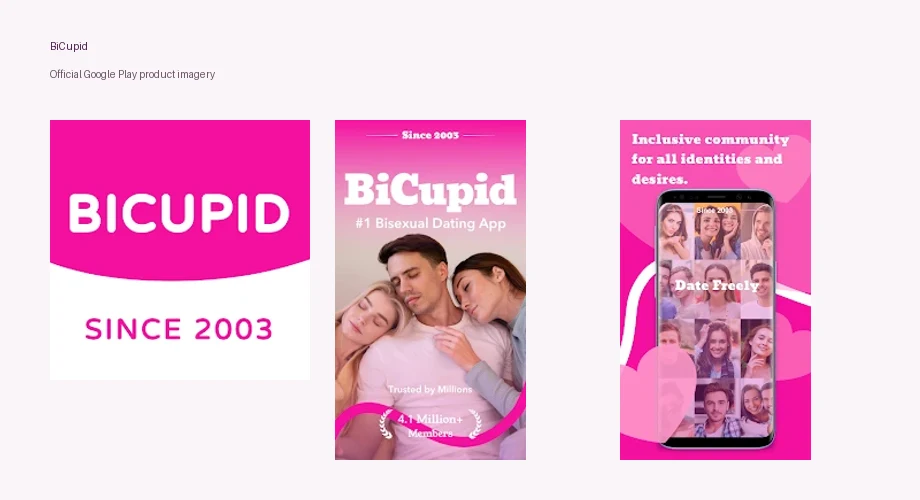
An Android phone can be a convenient place to keep a bisexual dating conversation going, whether you use a familiar device for everything or prefer short sessions between other activities. The BiCupid Android app welcomes singles, bi-curious adults, and couples. It gives you a mobile route into that dating context while leaving the kind of connection up to you.
You can download BiCupid for Android and begin with a free profile. Purchases are available, and free download does not include unrestricted message initiation.
Start With the Real BiCupid Android App
Use the Google Play route for BiCupid rather than a download file offered by an unfamiliar website. The verified Play listing is titled “BiCupid: Date Singles, Couples,” has package identifier com.bi.bicupid, and identifies SUCCESSFULMATCH.COM INC. under developer information. The prominent store display also uses “Bisexual Dating App” as its publisher label.
Those details help you identify the intended app when search results include similar names. A familiar icon alone is not a reliable reason to install software. Read the listing, the connected website, and the device's current installation options so you know what you are choosing.
Android covers many device models and software versions. The listing on your phone is the relevant place to confirm current compatibility and regional availability. If installation is unavailable, do not assume a copied app file will solve the problem appropriately. You can compare BiCupid app and website access before deciding how to use the service.
Let Shared Interests Guide Discovery on Mobile
Mobile discovery is useful when you can turn a profile detail into a reason to talk. A photograph may attract your attention, but a relationship goal and a shared interest help you judge whether the introduction belongs in your dating life. The app's audience focus gives context; it does not decide compatibility for you.
Picture an evening browse after work. One profile mentions weekend cycling and patient conversation; another describes an invitation involving a couple. If you want one-to-one dating, those are different possibilities to evaluate, not interchangeable options because bisexuality appears in both descriptions. You can appreciate the community's breadth while making a precise choice.
An introduction might say, “You mentioned relaxed rides rather than races. Is your ideal weekend a short cycle with a café stop?” That question grows from a specific detail, provides an easy answer, and does not demand personal information. If orientation or curiosity matters to your pace, describe it honestly rather than assuming someone else will infer it from an account label.
A Chat Icon Does Not Establish Free Outreach
BiCupid's communication entitlement matters before you plan to send first messages. The official FAQ states that Standard members cannot initiate conversations. They can reply to Premium members, and messaging requires at least one participant with active Premium access.
That means you can use the free starting point to prepare a profile and consider incoming interest, while personalized outreach may require an upgrade. If a purchase prompt appears when you try a restricted action, evaluate the entitlement rather than treating the prompt as evidence that every part of the app costs money.
Android prices should come from your current purchase screen. The U.S. iOS examples in our BiCupid cost comparison apply to that listing, rather than Google Play or web purchases. Confirm the period, total charge, currency, and renewal information for your own route. A membership can provide access to an action; it cannot make another person reply.
Read Google Play Data Safety as a Developer Declaration
Google Play's Data safety panel describes information supplied by the developer and notes that practices may vary with use, region, and age. The current BiCupid panel lists collection that includes location and personal information, says data is encrypted in transit, and says deletion can be requested.
Read the current panel and linked privacy policy before deciding what you are comfortable sharing. Encryption in transit describes one aspect of data protection; it does not promise that another member cannot retain a message or photograph. Likewise, a deletion-request declaration should not be interpreted as an instant removal of every copy from every possible location.
When assessing BiCupid safety, consider what product controls can and cannot protect. On Android, keep the store's data statement separate from the choices you make about profile detail and phone access. A developer declaration can inform your decision, while a visible work badge in an uploaded photo creates a different privacy issue altogether.
Fit Notifications to Your Device and Your Reply Rhythm
Android notification controls can look different across manufacturers and software versions, so use the settings on your own phone. Review whether dating notifications display text on a locked screen, make sound in shared spaces, or appear on connected devices. These are device-level considerations, not claims that BiCupid provides a particular Android-only privacy mode.
The dating purpose is to remain available at a pace you can sustain. If you work shifts or spend evenings with friends, you may want to return to the app at a chosen time instead of reacting to every interruption. Tell a person when you normally reply if that would prevent confusion: “I am offline during work, but I will catch up afterward.”
For couples, one phone receiving a notification is not proof that both partners have agreed to a proposal. Allow time for each person to read and respond. An interested reply can still say that a plan needs discussion. Thoughtful mobile use makes participation clearer, even when the hardware allows an immediate answer.
Make Profile Changes Deliberately Across Devices
If you also use the website or change phones, confirm the account before editing or purchasing. The fact that you have installed the same app does not by itself show which credentials are active. Keep your login details accessible to you, use a distinct password, and avoid handing account access to someone merely because they offer to help with setup.
An app problem should also be distinguished from a dating problem. A delayed notification does not necessarily mean somebody ignored you; a member's lack of interest is not automatically an installation fault. If you need technical help, describe the device, the action you attempted, and any error without including passwords or unnecessary private conversations.
Knowing how BiCupid works can help you resume the steps from profile creation to conversation. On a new phone, reconnect with that existing journey rather than feeling you have to start your identity presentation again. Update the profile when your actual goal changes, not simply because the screen layout looks different.
Three Android Questions Before You Continue
Do I Need a Particular Phone Brand?
The useful requirement is compatibility with the current listing on your device, not ownership of a named manufacturer. Confirm the available installation route on Google Play. Avoid guessing support from another person's phone, because software version and regional availability can differ.
Does the Store's Content Rating Replace Membership Rules?
No. A store rating describes content classification; it is not the service's membership policy. BiCupid's official FAQ states a minimum joining age of 20. Check the service's current rules rather than treating an app-store content label as permission to register.
Will Removing the App End Membership?
Uninstalling removes software from that device. Subscription cancellation and profile deletion are separate actions. Identify who billed any purchase, complete the relevant cancellation process if needed, and manage the profile separately if your goal is to leave the dating service.
The strongest reason to keep the app is that it helps you give relevant people a considered response in a convenient place. Start with accurate information, use discovery to find an actual reason to connect, and let your own dating goal determine the pace.